
Appearance
Global Theme Settings - Favicon
The Favicon section allows you to upload a small, iconic image that represents your brand in web browser tabs, bookmarks, and history bars. It is a subtle but essential detail for providing a professional and polished user experience.
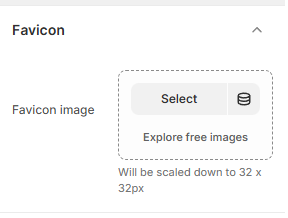
In this section, you can upload your Favicon image. This image serves as the "face" of your website on a browser's tab. Because favicons are displayed at a very small size, the Momentum theme will automatically scale your uploaded image down to 32 x 32px.
Best Practice: Use a simple version of your logo or a recognizable brand mark. Avoid using text, as it will become unreadable once scaled down to size.
How to Upload Your Favicon
Follow these steps to add a favicon to your store:
Open the Theme Editor: From your Shopify Admin, go to Online Store > Themes > Edit Theme.
Open Theme Settings: Click the Gear icon (⚙️) in the left-hand sidebar.
Select Favicon: Click on the Favicon accordion to open the image uploader.
Upload Image: Click Select to choose an image from your library or upload a new file from your computer.
Alternatively, click Explore free images if you don't have a logo ready yet.
Save: Click Save in the top right corner. It may take a few moments for the new icon to appear in your browser tab.