
Appearance
Currency/Country Selector
Overview
The Currency/Country Selector allows customers to switch between supported countries and currencies directly from the header of your Momentum theme. This native feature integrates with Shopify Markets, providing a localized shopping experience by displaying prices and checkout options based on the customer's selected market.
Benefits of the Currency/Country Selector
- Display prices in customers' local currencies.
- Improve the shopping experience for international visitors.
- Support multi-market selling through Shopify Markets.
- Reduce friction at checkout by showing localized pricing.
- Increase customer trust by providing a familiar shopping experience.
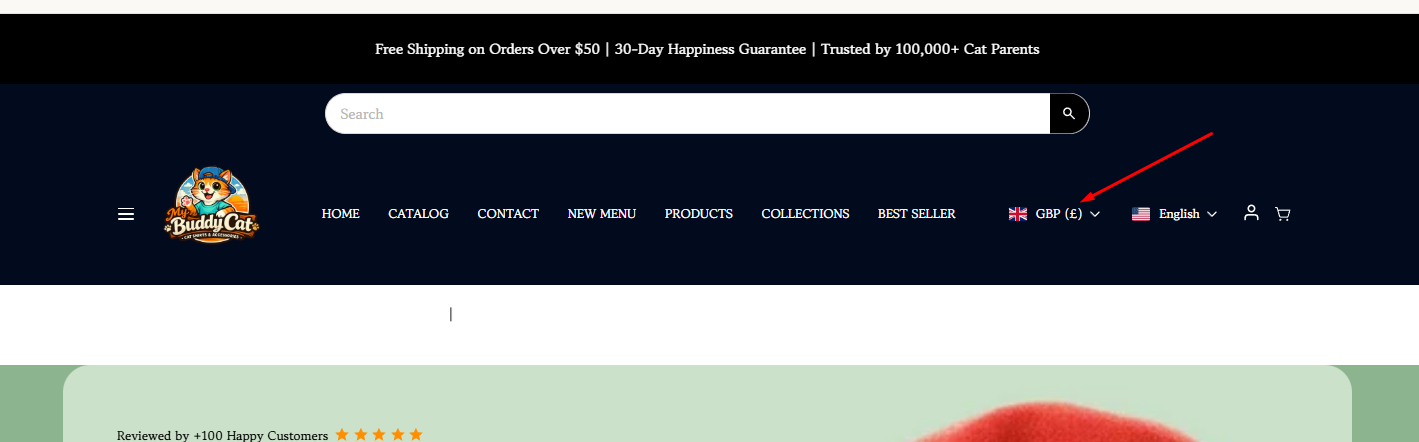
Before You Begin
The Momentum Currency/Country Selector relies on Shopify Markets to manage countries, regions, and currencies. Before enabling the selector, you must configure your markets and currencies within Shopify.
How to Enable the Currency/Country Selector
Step 1: Configure Shopify Markets
- From your Shopify Admin, navigate to Settings > Markets.
- Create a new market or edit an existing market.
- Add the countries or regions you wish to sell to.
- Configure the appropriate currency for each market.
- Complete any additional market settings, including pricing, domains, and language settings as needed.
- Ensure your markets are active and available to customers.
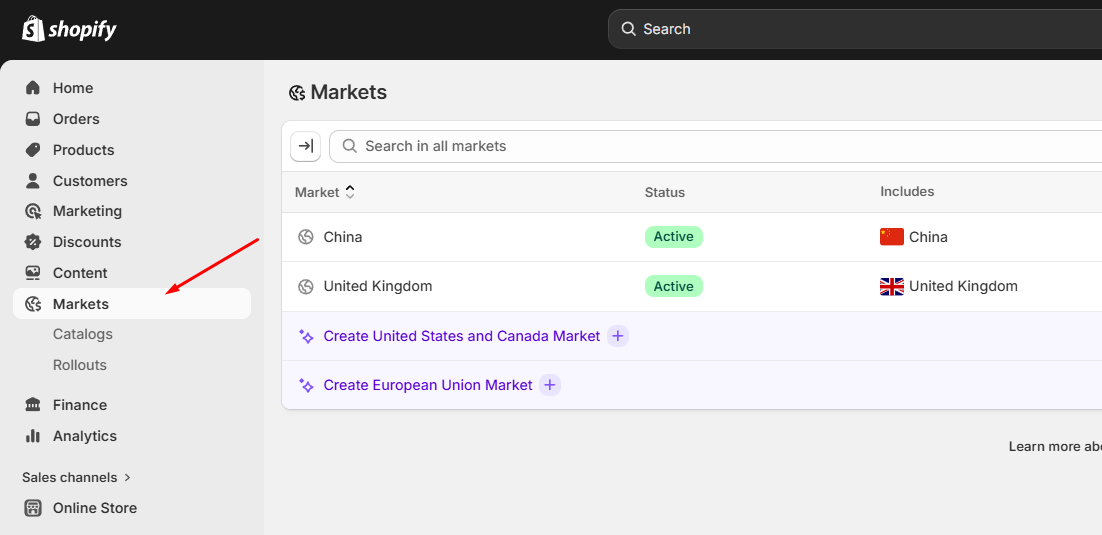
Note: The Currency/Country Selector will only display countries and currencies that have been configured and activated within Shopify Markets.
Step 2: Enable the Currency/Country Selector in Momentum
- From your Shopify Admin, navigate to Online Store > Themes.
- Locate your Momentum theme.
- Click Edit Theme.
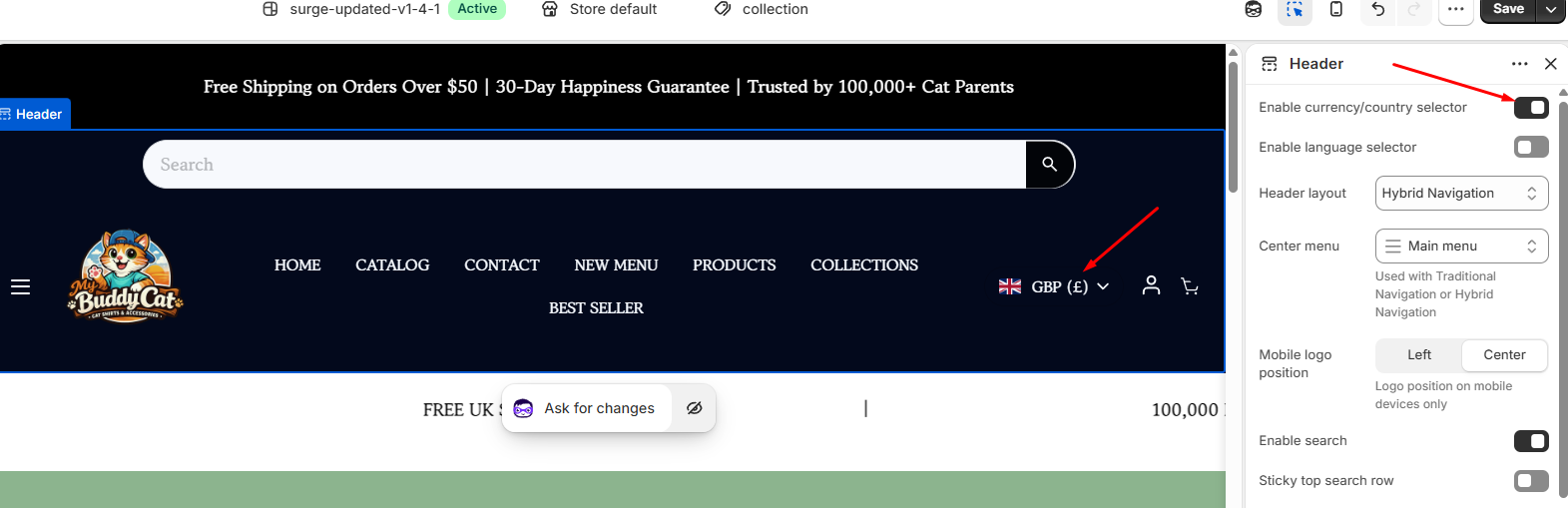
- Open the Header section.
- Locate the Enable Currency/Country Selector setting.
- Toggle the setting on.
- Save your changes.
You're All Set!
Your Currency/Country Selector is now active and ready to help customers shop in their preferred currency and market. As your business expands internationally, Shopify Markets and the Momentum Currency/Country Selector work together to provide a seamless localized shopping experience.
Need Help?
If you need help, contact our support team and we'll be happy to assist.