
Appearance
See It In Action Videos
**Overview
The See It in Action product block makes it easy to showcase your product through video. Instead of relying only on static product images, you can quickly add a list of videos that demonstrate the product in use, highlight its features, or show customers how it works.
This is a great way to build product confidence and give shoppers a better understanding of what they can expect before making a purchase.
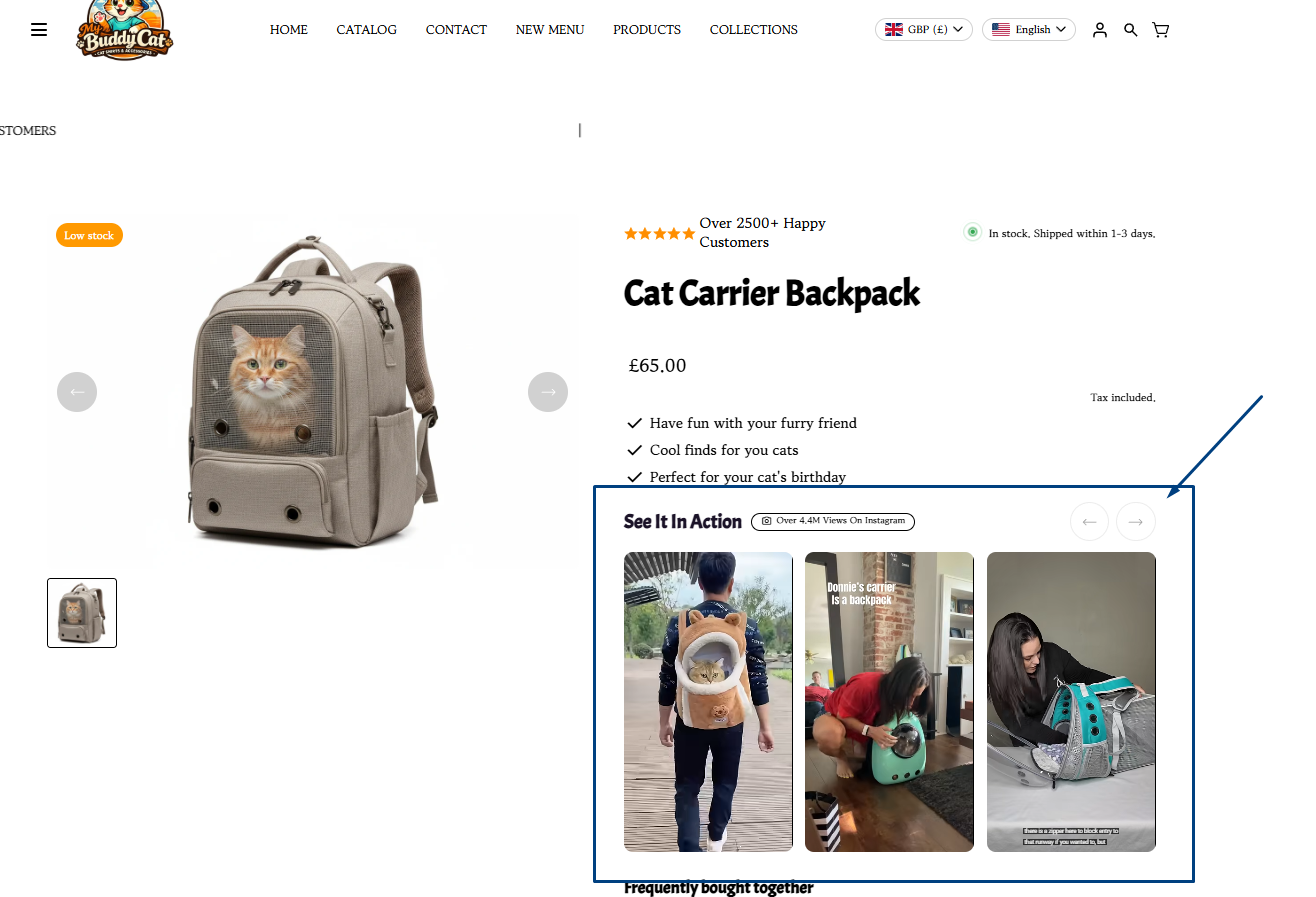
**How to Add the See It in Action Block
- From your Shopify admin, go to **Online Store → Themes and click **Customize on your Momentum theme.
- Navigate to the Product template where you want to add the video showcase.
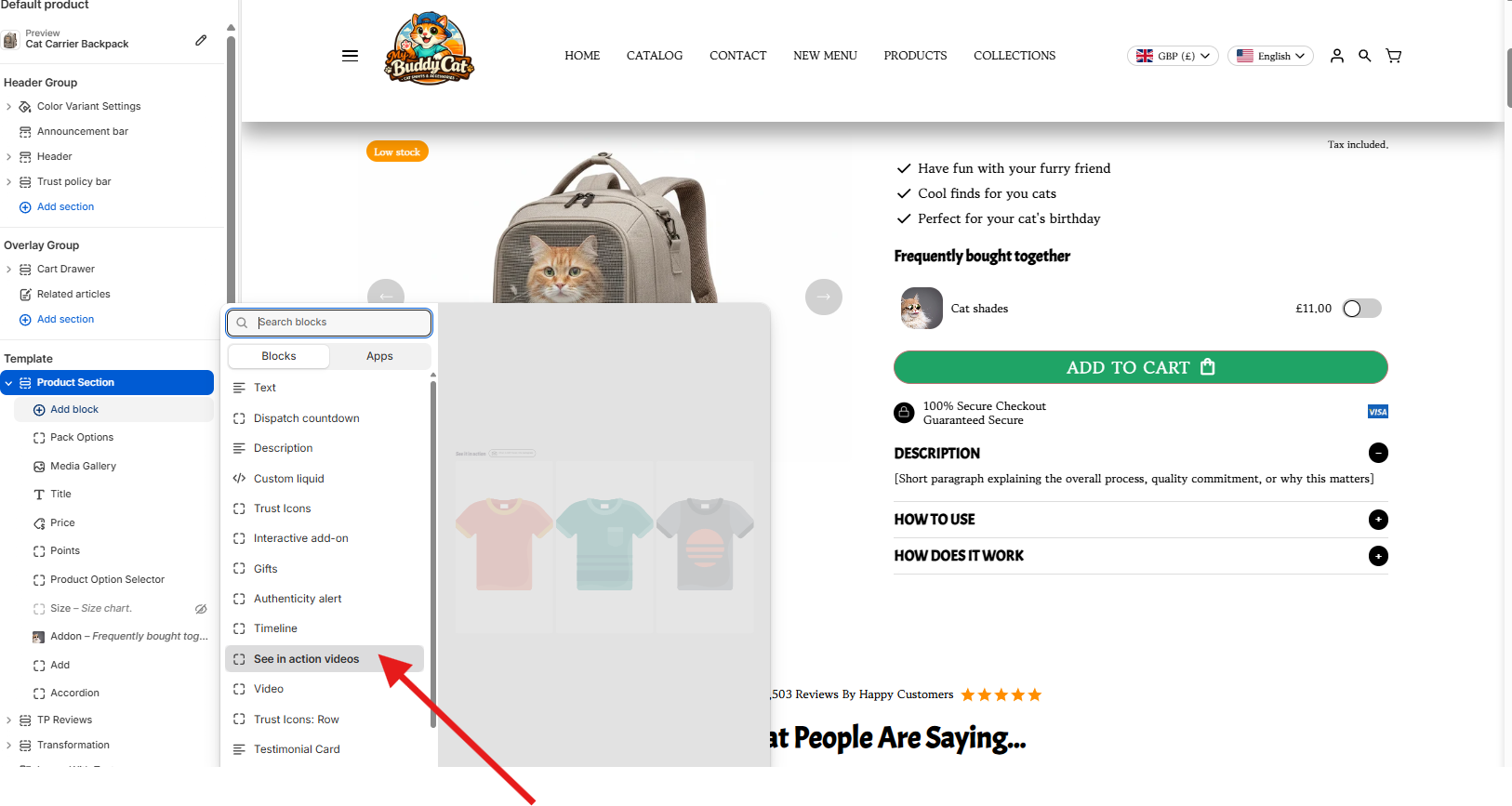
- In the **Product Section, click **Add block.
- From the available blocks, select See in action videos.
5. Select the video source either from Shopify uploaded video or an external URL (Youtube, Vimeo, etc.)
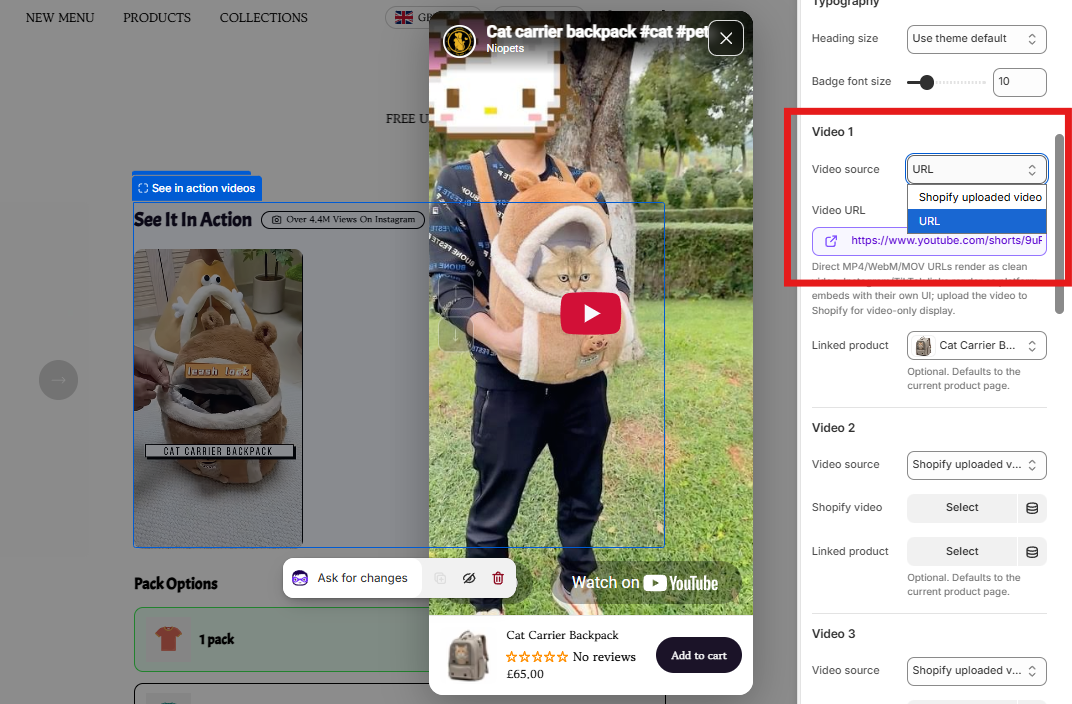
6. Add your product videos to the block. You can use videos that demonstrate the product, show it being used, or highlight specific features and benefits.
7. Arrange the videos in the order you'd like shoppers to see them.
8. Once you're happy with the setup, click Save in the Shopify theme editor.
Your See It in Action video list will now appear within the product section, giving shoppers a quick and engaging way to see your product in action.
? **Pro Tip
Use short, focused videos that demonstrate the product clearly. Videos showing the product being used in a real-world situation can be especially effective because they help shoppers visualize how the product fits into their own lives.
For best results, keep the most compelling video first so shoppers see your strongest demonstration immediately.
**Wrapping Up
The See It in Action block is a simple way to make your product pages more engaging while providing shoppers with useful visual information. By showcasing your product through multiple videos, you can demonstrate its functionality, answer common questions, and help customers feel more confident about purchasing.
If you need help, contact our support team and we'll be happy to assist.